> ## Documentation Index
> Fetch the complete documentation index at: https://docs.s15x.dev/llms.txt
> Use this file to discover all available pages before exploring further.
# Verifying in s15x
Join s15x server here
***
### Step 1.
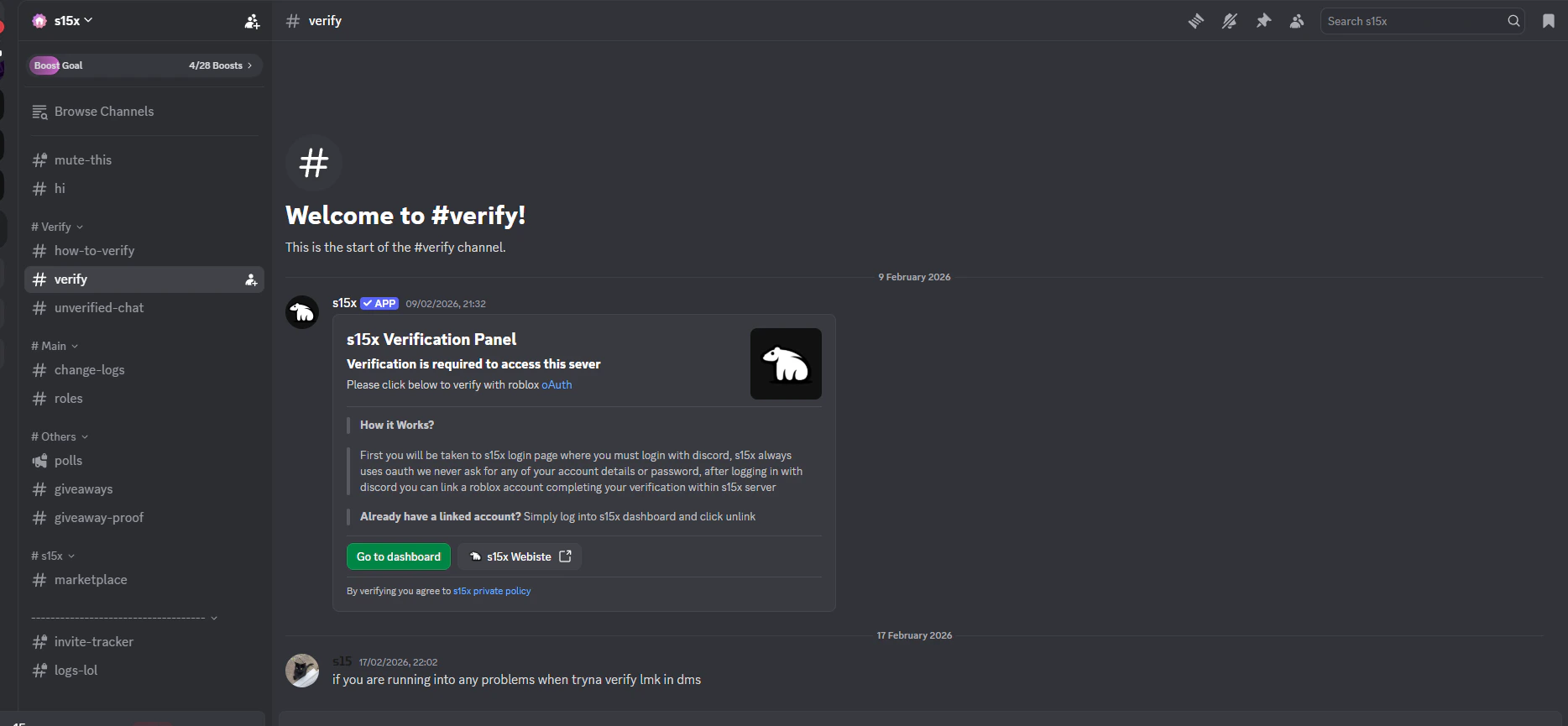
Go to afterwards you will be persented with s15x verification panel
 ***
### Step 2.
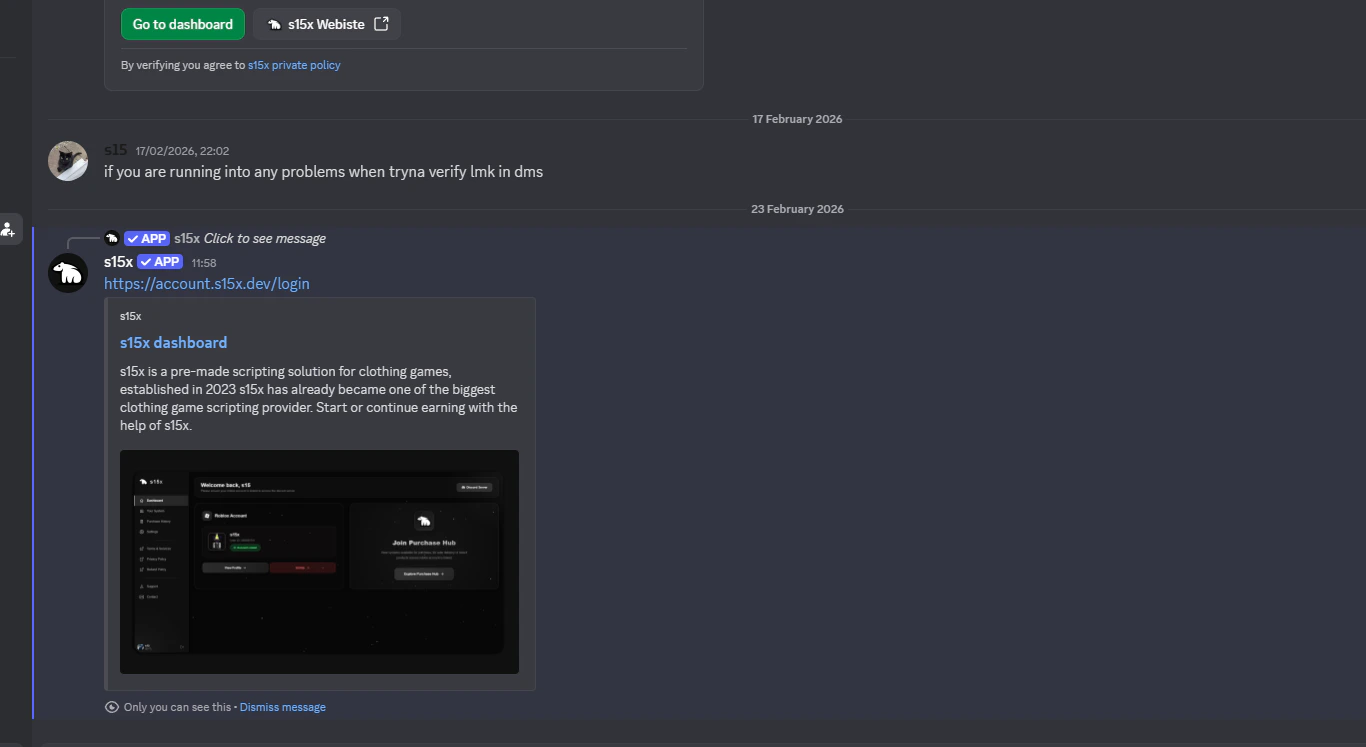
After pressing **Go to dashboard** button you will be presented with s15x dashboard URL click this to open the dashboard onto your web browser
***
### Step 2.
After pressing **Go to dashboard** button you will be presented with s15x dashboard URL click this to open the dashboard onto your web browser
 ***
### Step 3.
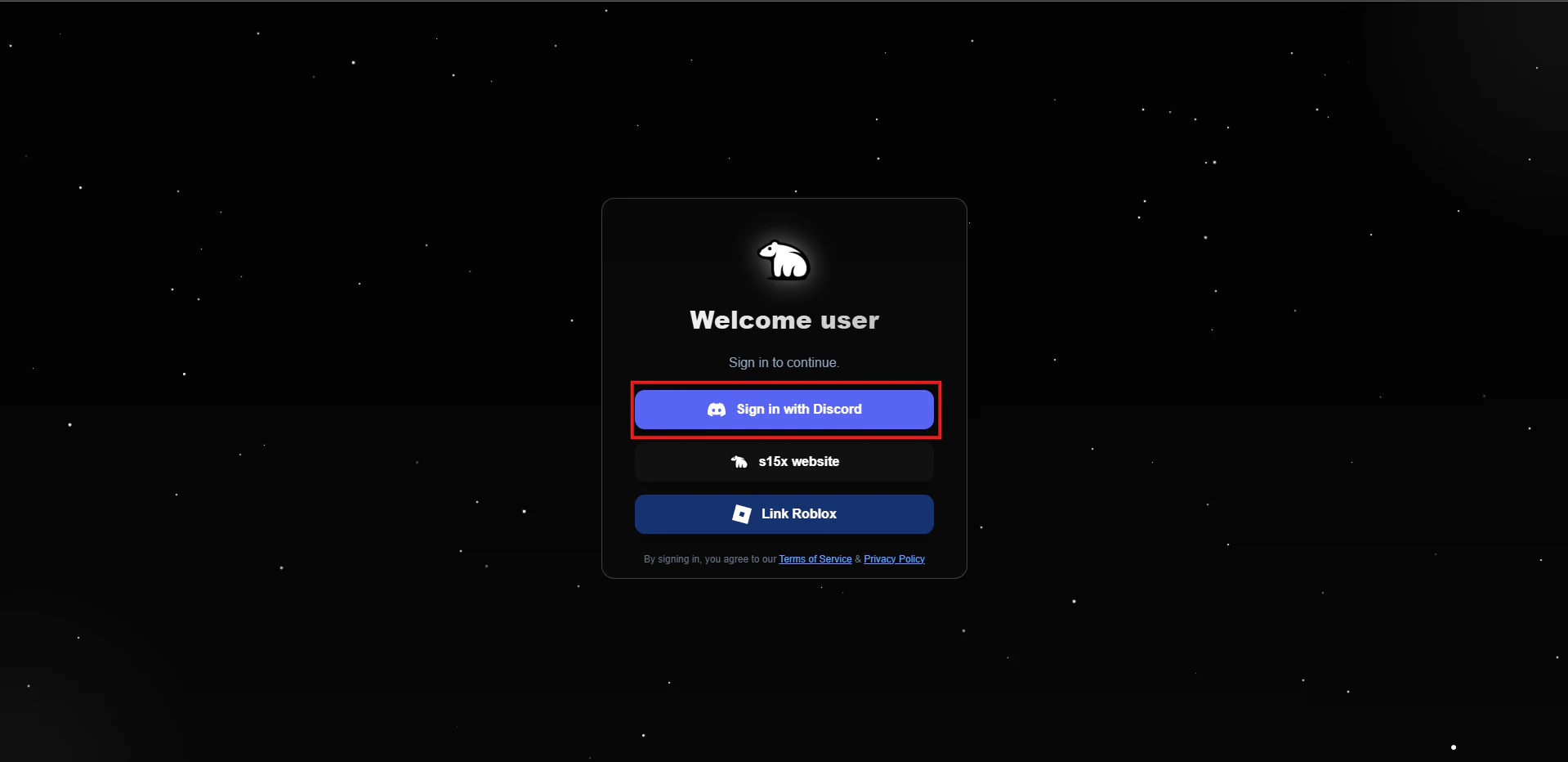
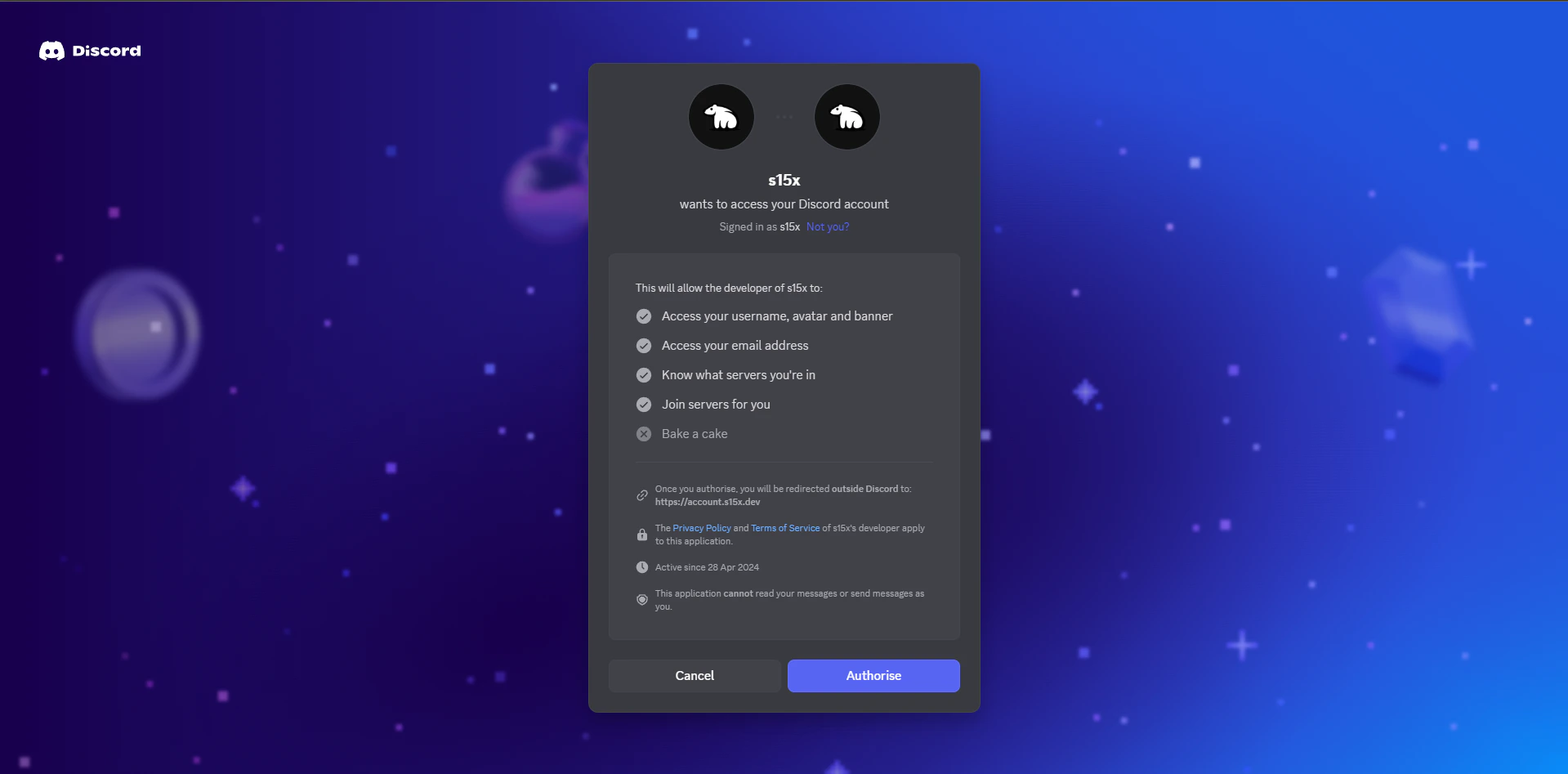
On s15x website click on **sign in with discord,** using [oAuth2](https://oauth.net/2/) discord will prompt either your current logged in account or ask you to login
s15x will \*\*NEVER ask for your password \*\*instead you will be redirected to discord, you can always verify the URL by removing all after discord.com/
***
### Step 3.
On s15x website click on **sign in with discord,** using [oAuth2](https://oauth.net/2/) discord will prompt either your current logged in account or ask you to login
s15x will \*\*NEVER ask for your password \*\*instead you will be redirected to discord, you can always verify the URL by removing all after discord.com/
 ***
***
 ***
### Step 4.
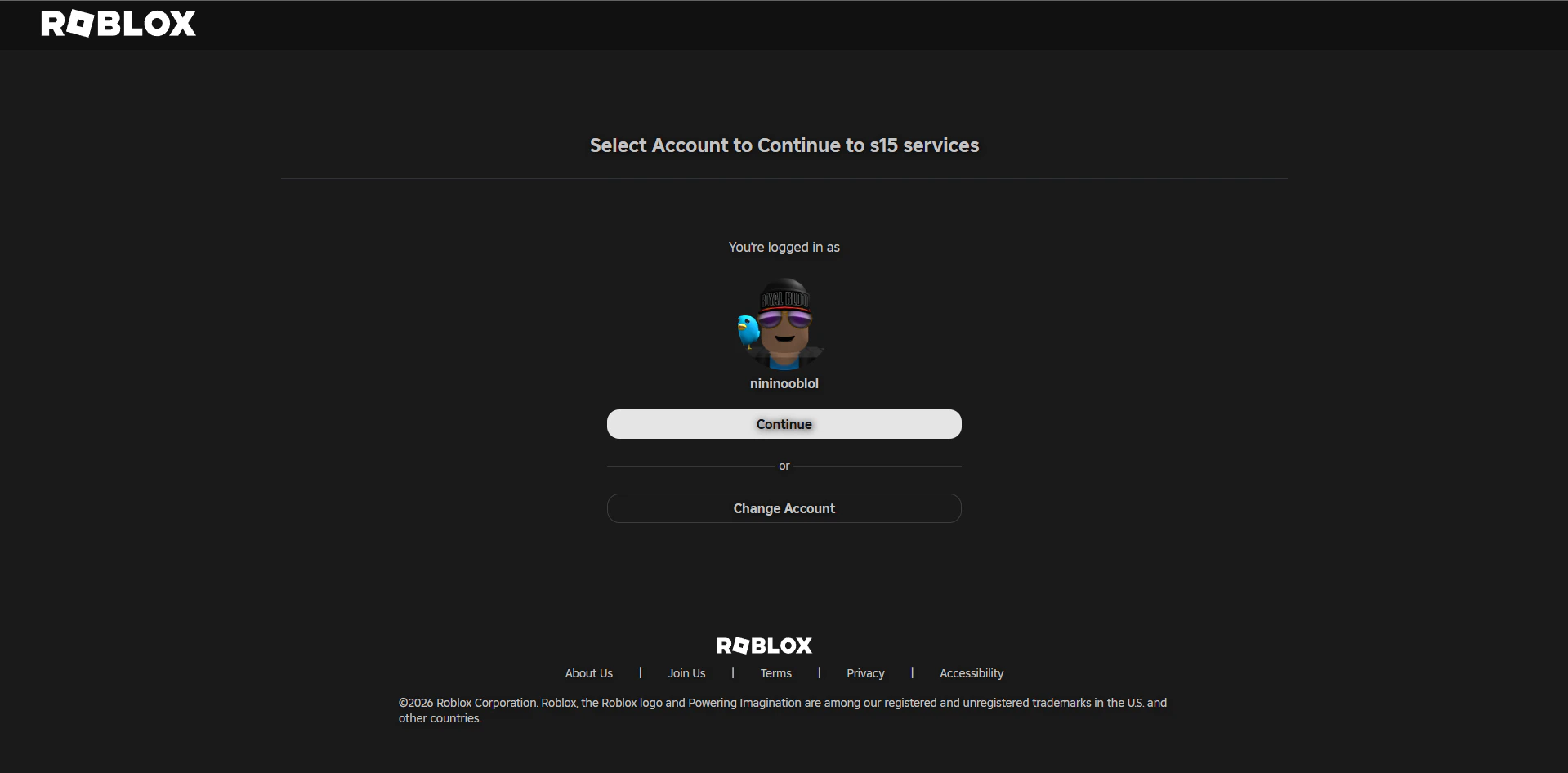
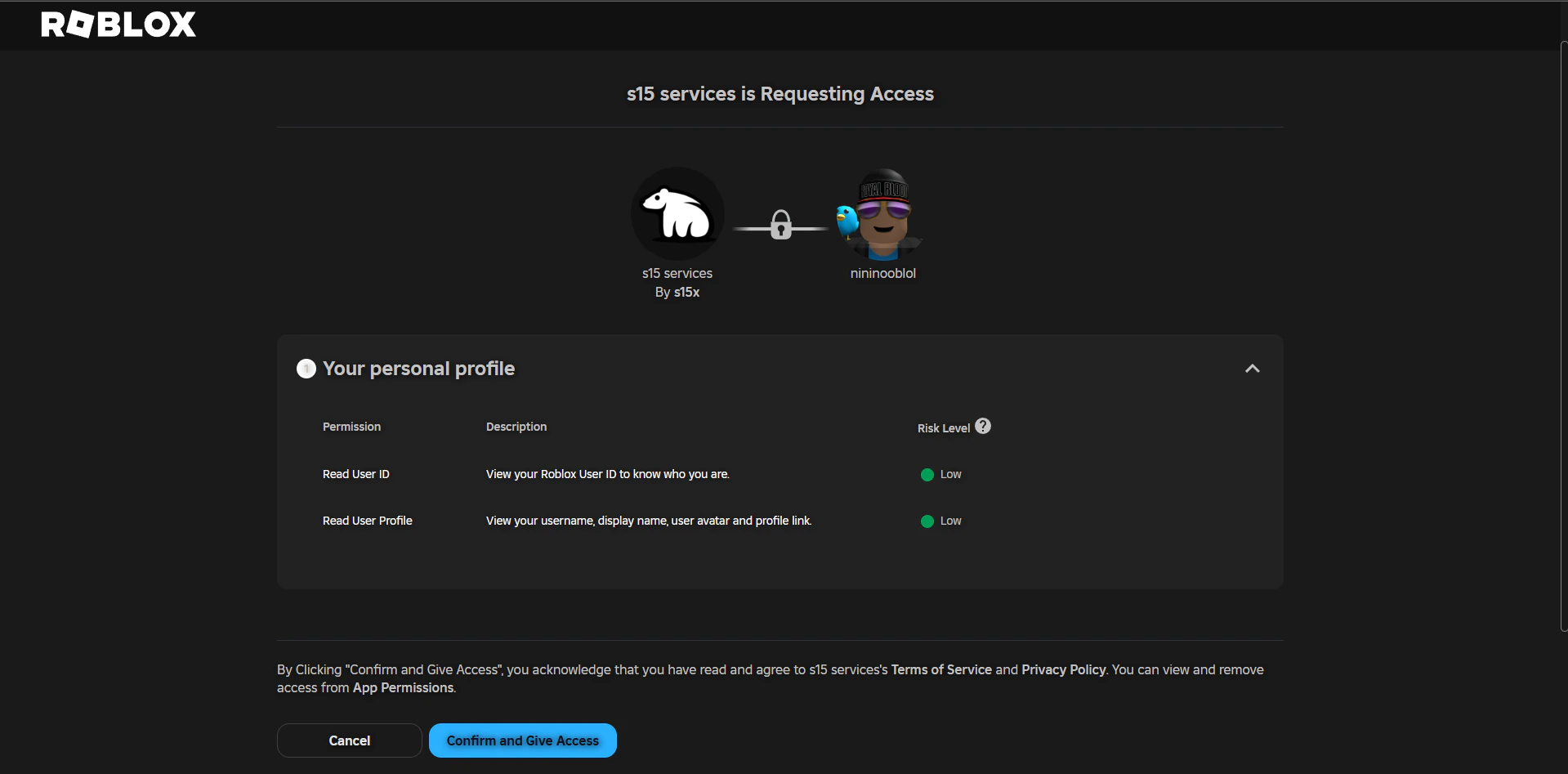
After authorizing with discord, you will be taken to \*\*s15x dashboard, \*\*once here all you need to do is press Link Account button which then will redirect to you roblox and using [oAuth2](https://oauth.net/2/) you will be asked to continue or log into your roblox account
s15x will \*\*NEVER ask for you password, \*\*instead you will always be redirected to roblox site and offical domain and asked to login or prompt with your already logged in account
***
### Step 4.
After authorizing with discord, you will be taken to \*\*s15x dashboard, \*\*once here all you need to do is press Link Account button which then will redirect to you roblox and using [oAuth2](https://oauth.net/2/) you will be asked to continue or log into your roblox account
s15x will \*\*NEVER ask for you password, \*\*instead you will always be redirected to roblox site and offical domain and asked to login or prompt with your already logged in account
 ***
***
 ***
### Step 5.
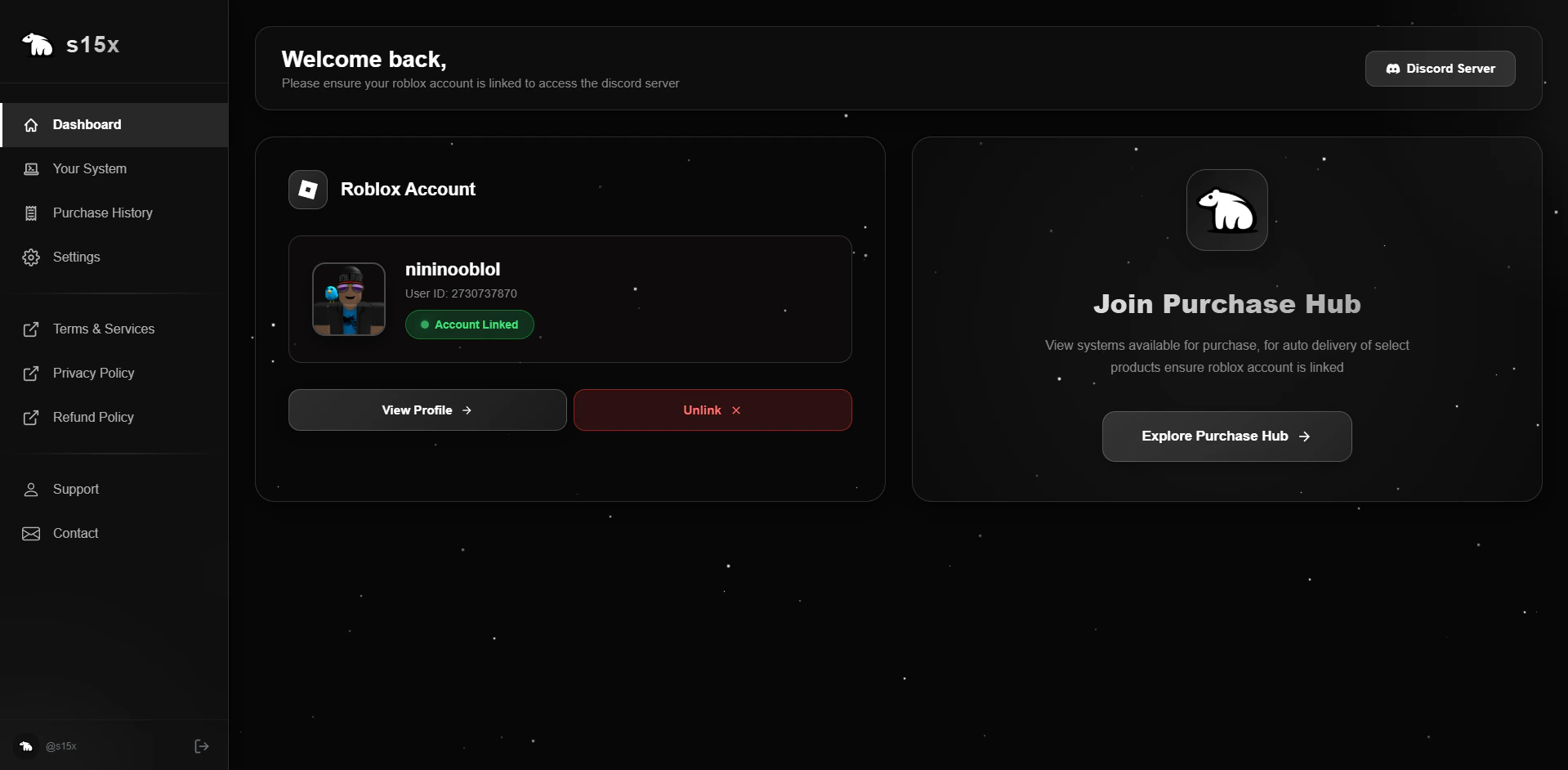
After graning access you will be redirected back to s15x dashboard where it will preview your linked account, then on discord you will be automatically verified
***
### Step 5.
After graning access you will be redirected back to s15x dashboard where it will preview your linked account, then on discord you will be automatically verified
 ***
***